
Blog, Home Design, Interior Design
Free design apps for interior design EasyHome Homestyler
May
Design Your Dream Space Easily with EasyHome Homestyler (for free)
EasyHome Homestyler is a super simple yet potent design tool that lets you create your own home project from scratch, whether it’s a single room or an entire floor plan. And it’s a free home design app.
It’s intuitive, beginner-friendly, and gives you the creative freedom to visualise your ideas in 2D or 3D without needing any professional experience.
With just a few clicks, you can arrange furniture, test colours, explore layouts, and see your dream home come to life, all in one easy, visual platform

Link to EasyHome Homestyler: https://www.homestyler.com, a decorating app free
Review of the App Features

Visualise Your Ideas in 2D and 3D
The 2D floor plan tool is incredibly easy to use and probably the most practical feature in the entire software. You can rely on it alone when you need a quick way to check if your furniture fits and whether the layout you imagine will actually work in real life.
But if you decide to take it a step further, the 3D tool is just as simple. You can literally drag and drop 3D models of furniture, décor, and accessories to build a complete space within your floor plan.
So ultimately, you’re designing and decorating your home space at the same time, and that’s what makes it so satisfying. It’s gratifying to watch your vision come together so easily and quickly, right before your eyes.
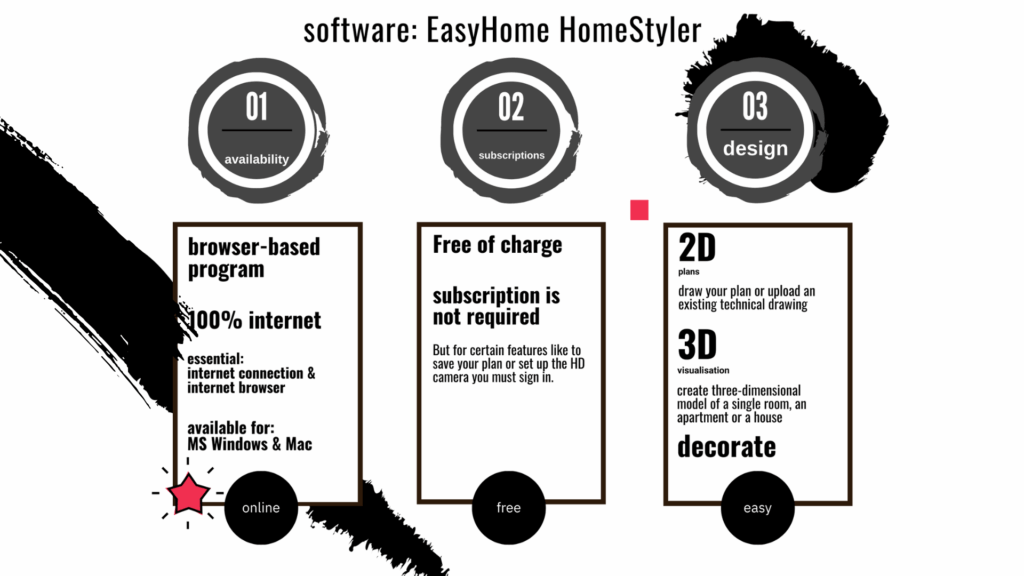
Pros and cons
And so, this is a quick recap of what this software is best used for — and how to take full advantage of its features for your home project. It also gives you a clear idea of what not to expect from it.
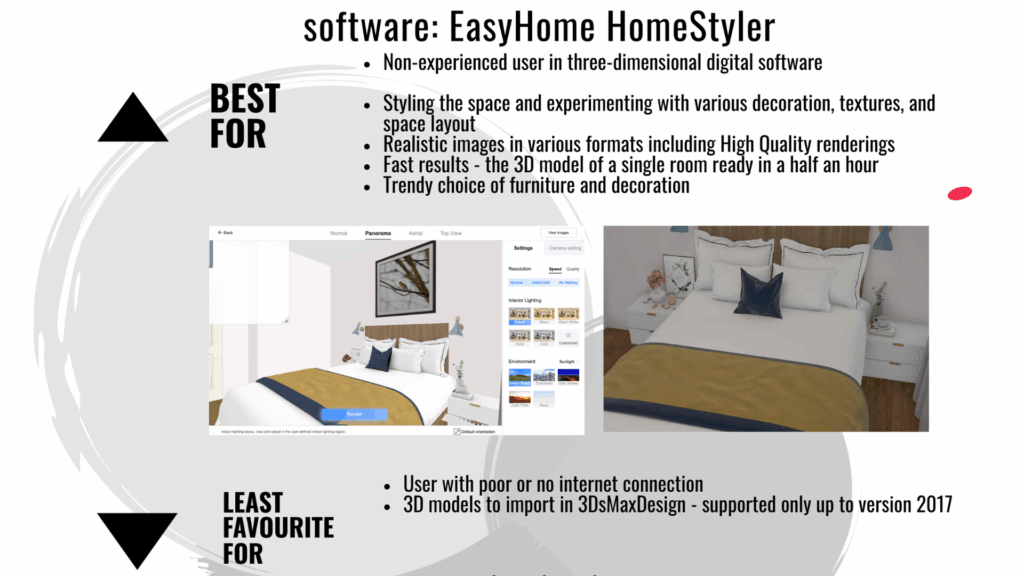
Work Anywhere — Mobile or Desktop
This software is versatile and lets you work seamlessly on both mobile and desktop. While the mobile version comes with a few limitations, it’s still a powerful tool that allows you to design, edit, and visualise your space from almost anywhere.

Visualisation Made Simple
One of the most practical features of this software is the camera tool. It lets you explore your project from different angles, helping you see how furniture layouts, lighting, and decor will actually work in your space. This makes it easy to spot potential issues or confirm that everything fits perfectly. It’s simple to use, intuitive to move around, and gives you a complete view of the room you’re designing.

Thanks for Reading
Thanks for reading! If you’d like to explore more, check out my article 13 Free Apps to Design Your Home.
If you want to hear from me, sign up for my newsletter — I share practical design tools, ideas, and inspiration for your next project.
I’d also love to hear from you. Share your experience with your own home project and tell me if Homestyler worked for you! Tell me if this free home planner app made any difference in your home project?
